

Connected pre-accounting
Sync reads every line, checks every document against the rest and reveals the problems your clients may have missed - one click from a fix.
Then the reviewed result is handed to the accounting system you already use …and your books stay yours
You buy it once and own it. Global Office: Sync, Global Office: Sync - Contractors Edition, and Global Office: Sync - Solo Edition.
How it fits
Reading the documents. Finding the charges with nothing behind them. Keeping track of which clients still owe paper, sending a little nudge to the quiet ones. Collecting insurance certificates and W-9s. Analyzing what all those records say together. Global Office: Sync does all of it from the same records, which is what lets every document be checked against the rest.
Done separately
…and that’s still only the short list.
Then out to QuickBooks Online, Xero or FreshBooks, with the document attached. They keep the books.
The moment a bookkeeper grows, every disconnected per-client tool starts reaching into the same pocket
None of these was typed in by anybody. Each one came from documents being read against each other, and each arrives in the Information Center with a button that goes straight to the fix. Nothing changes until you say so.

And on a contractor's books
Sync proposes
You approve it
The Business Centers
A bank feed sees HOME DEPOT $450 and doesn't say what was bought. Global Office: Sync reads every line on the receipt, so it can tell you which jobs made money, what the money actually went on, what it came in for, what the driving is worth and which bills are sliding. Tap any slice and you're looking at the receipts behind it.
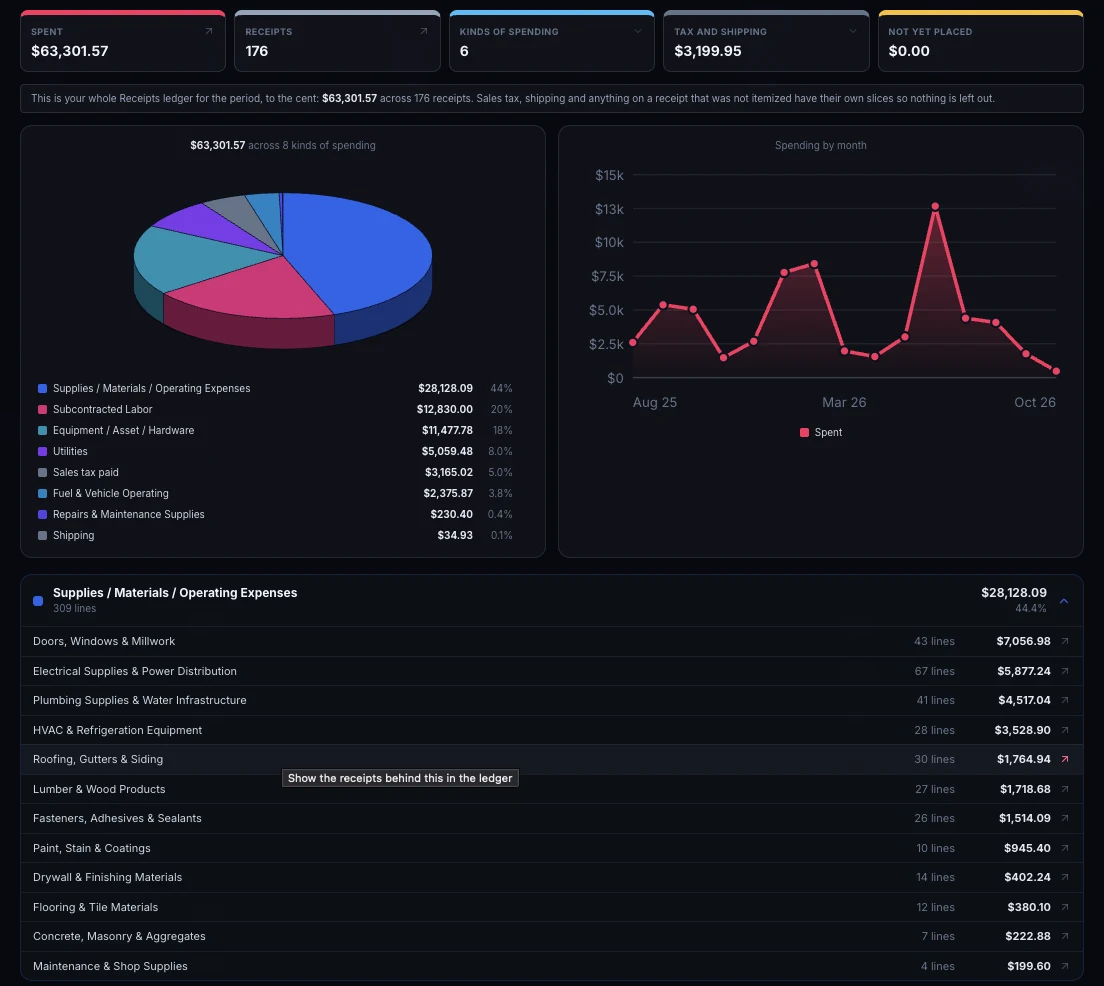
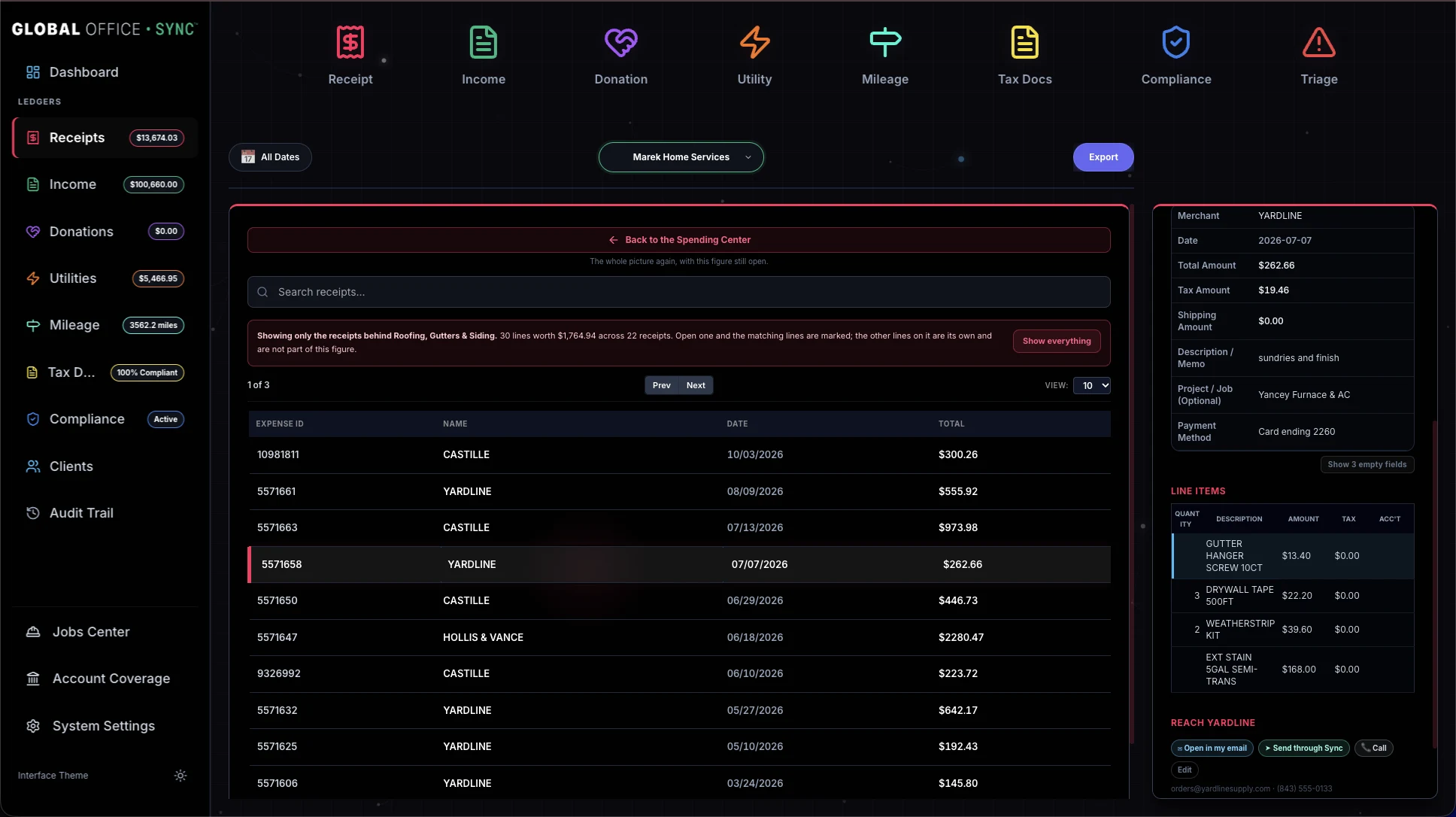
The dashboard
That's the question the app opens on, and the answer isn't the same answer twice. A bookkeeper is asking it about a roster and needs to know whose it is. Somebody running their own business is asking it about one business and its jobs. So the first screen isn't the same screen, and neither of them is a screen you set up.
Global Office: Sync
What needs attention across every client, each finding carrying the client's name and the button that deals with it. How many clients need you, how many have something worth knowing and how many are all clear, named in words as well as colored red, amber and green. One coverage figure for the whole practice. A card per ledger. And every client in one table, including the day something was last added, which is the column that tells you who you haven't heard from. Pick a client and the same screen shows just them, down to what they still owe you and their last twelve months.

Global Office: Sync - Contractors Edition
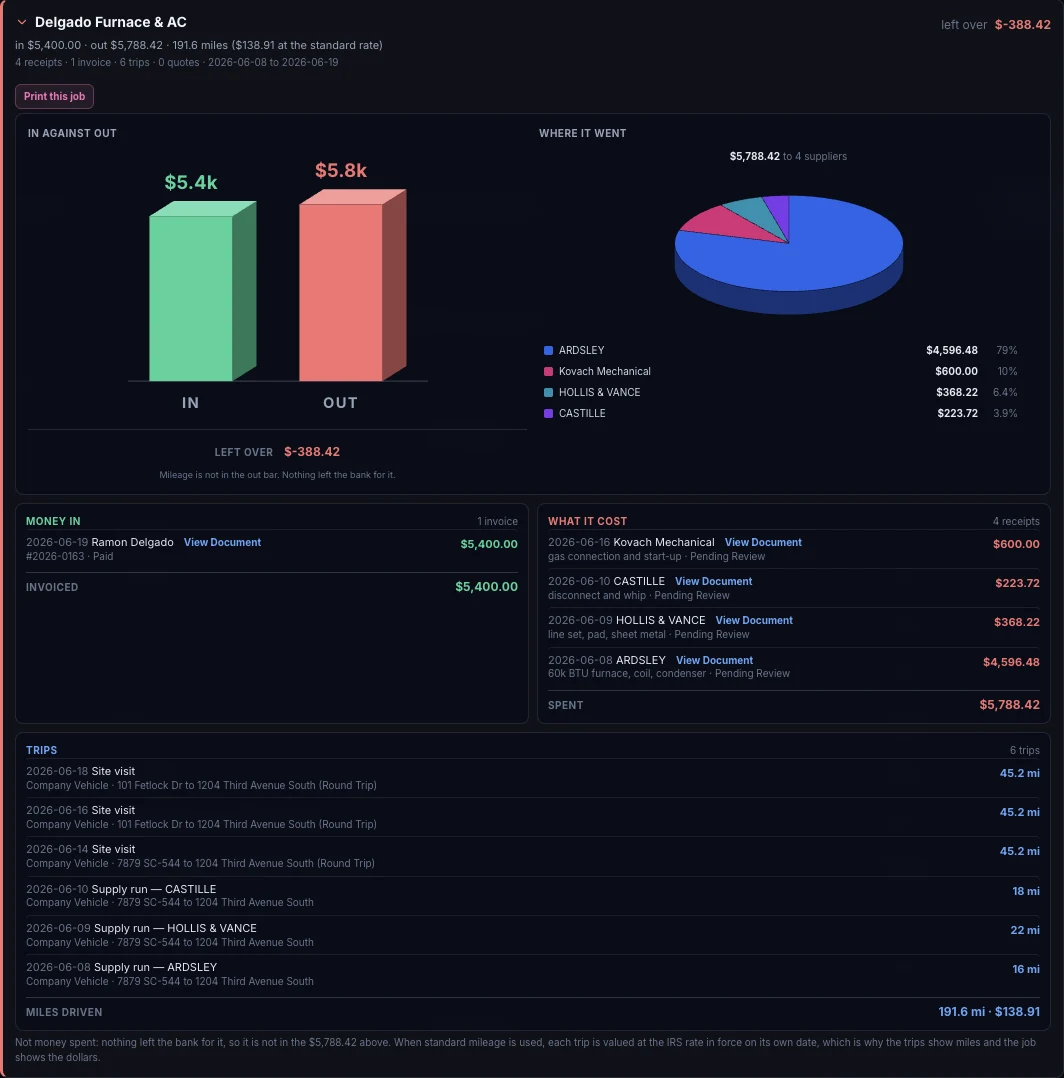
Three things across the top: compliance, tax forms, and how much of the bank and card spending has paper behind it. Here that reads all six subcontractors covered, two who will need a 1099, and 72 of 96 charges documented. A card per ledger. How ready the people working for you are, each bar opening the Compliance ledger filtered to exactly those people. And every job in one table, with money in, money out, what's left, the miles, and when it last moved.

Jobs, Earning, Spending, Mileage, Bills and Contact, and every edition has all six. Each one answers a single question your paperwork already knows: which job made money, what you actually spent it on, which bills are really overdue.
The work is serious. The records, the controls and the decisions behind them are serious. But the screen you look at all day doesn't have to feel sterile. Global Office: Sync is clear, useful and professional, and it still has some personality.
It was built to make the work better - not just move the same misery onto another screen.
Global Office: Sync opens in Luminous Dark. If you'd rather work on something closer to paper, Tailored Light is one click away, and switching back is just as quick. It's the same interface either way, with every button where you left it. Only the style changes.

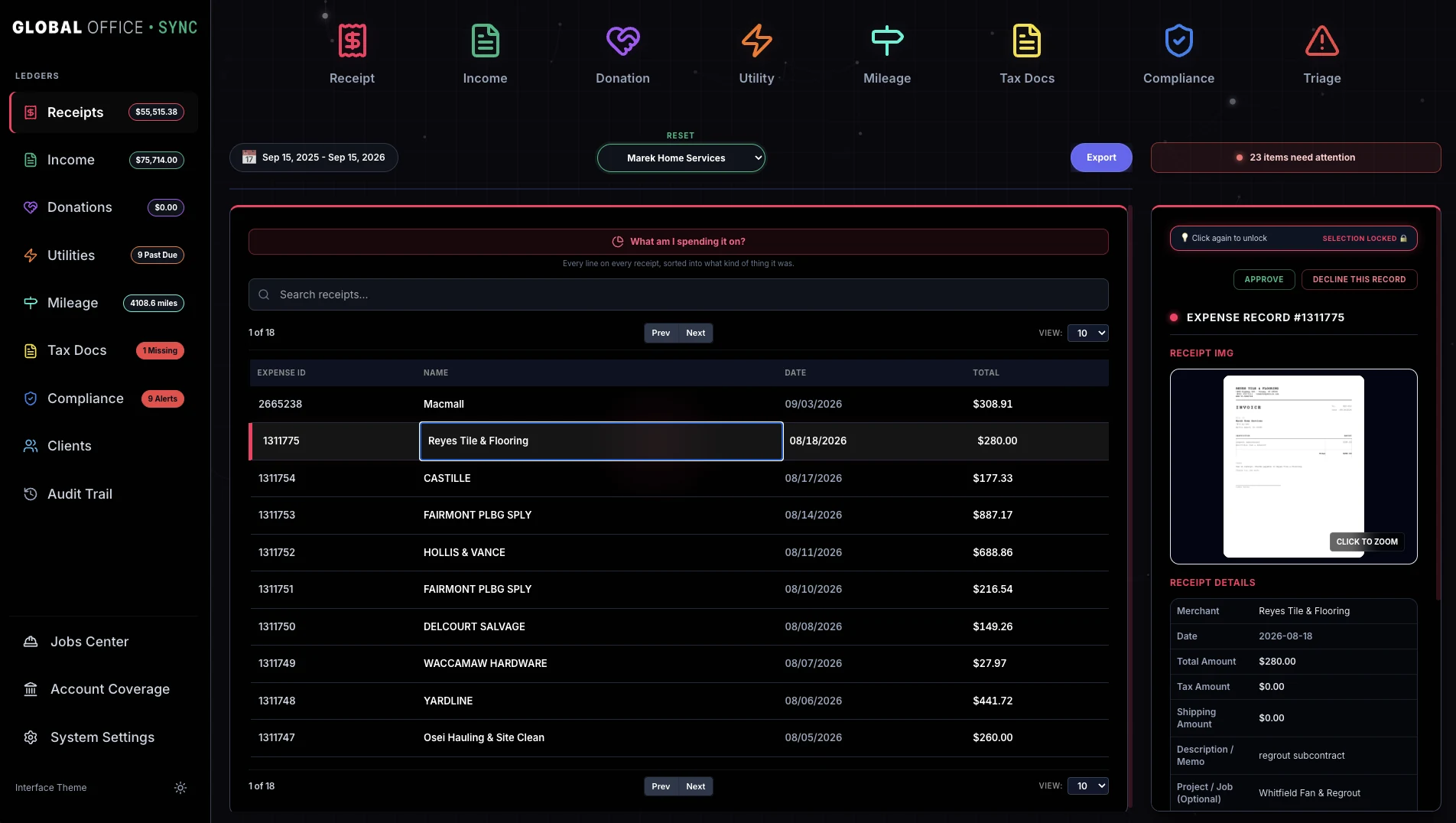
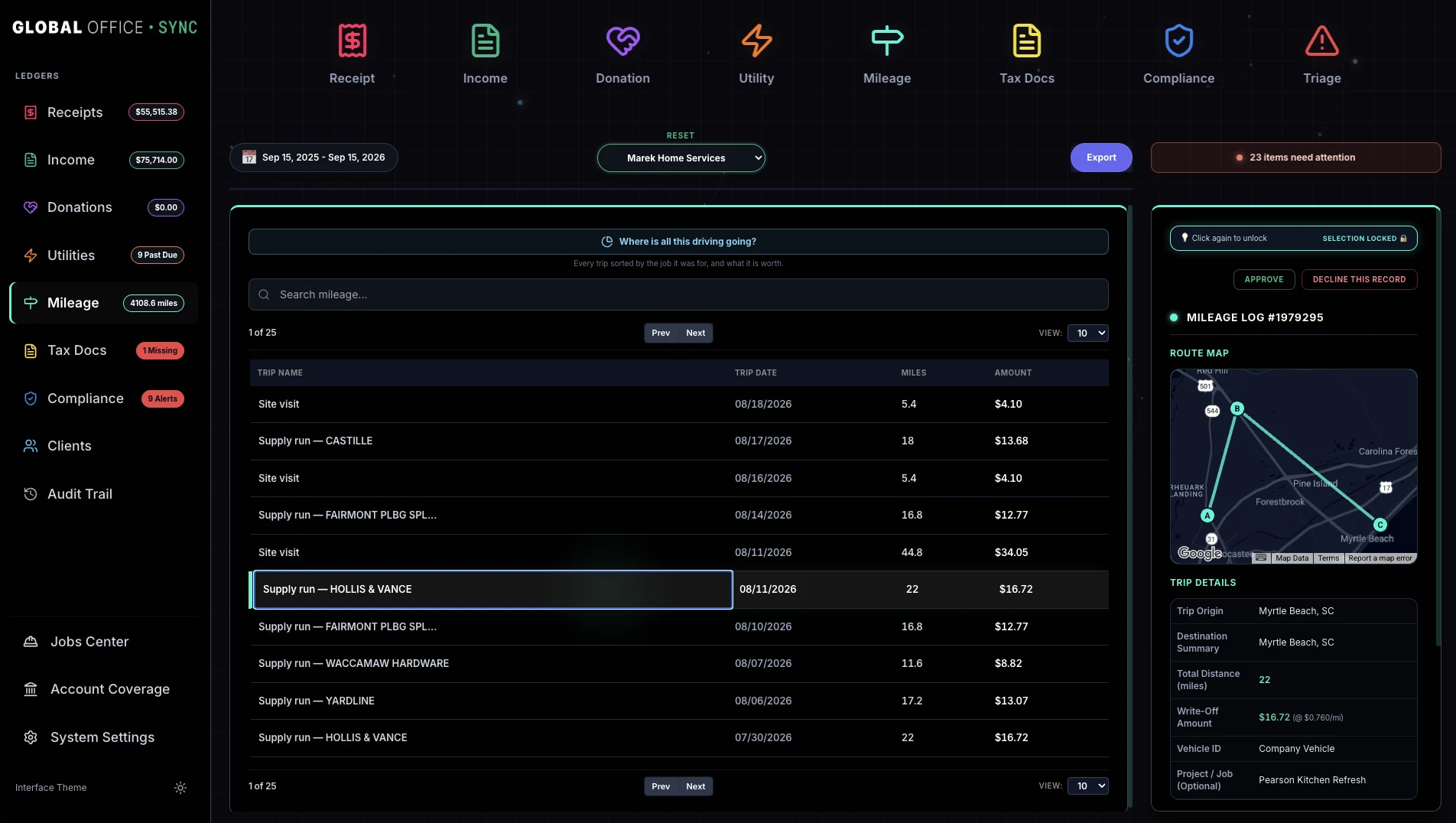
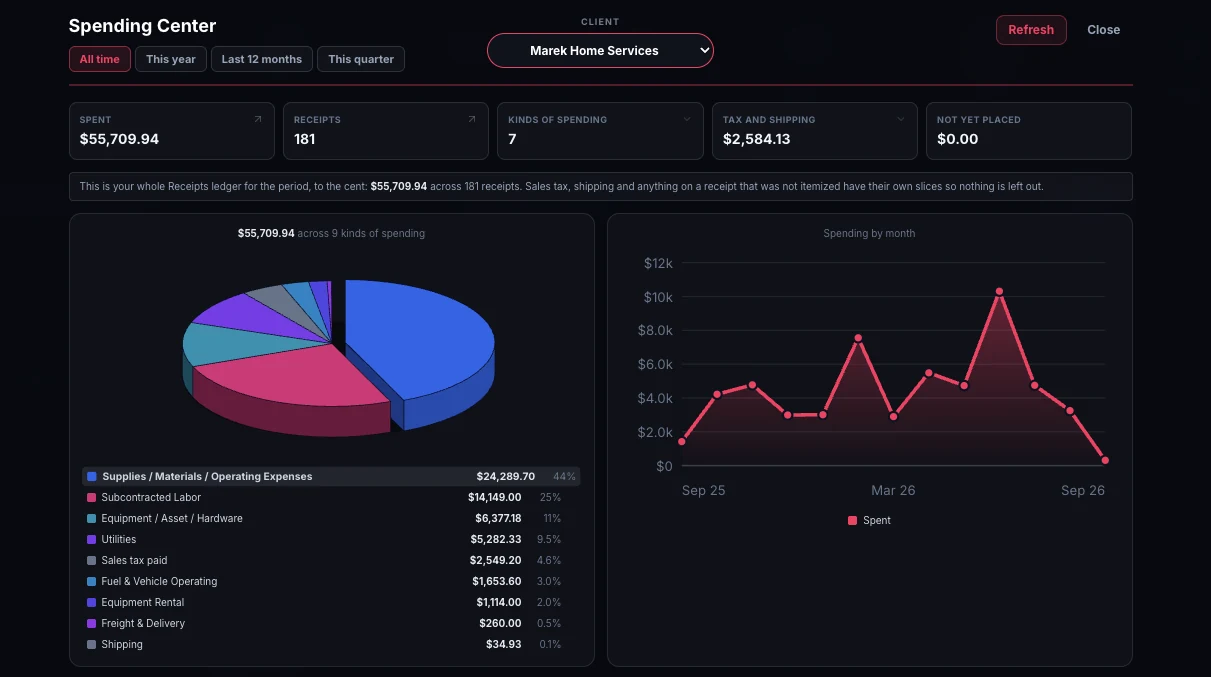
Three editions, one engine. What changes between them is how much the app has to ask you. An edition with nobody working for you never mentions certificates of insurance. An edition running one business never asks which business this is.

Global Office: Sync opens on the whole practice rather than on one client's ledgers: what needs you today, and whose it is. Then it puts the records together, every line matched against that client's own chart of accounts, so what reaches the accounting software is complete and has the document behind it.

The business explained by its own paperwork: what each job brought in and what it really cost, which subcontractor is missing a certificate or a W-9, and what the spending actually went on. Then it hands the lot over, either straight to your bookkeeper or out to your accounting software, already sorted.

Receipts, income, mileage and the tax documents that come to you, kept in order without being walked through an app built for somebody who hires people. Musicians, drivers, photographers, trainers, anybody in business on their own.
Human control, and the boundaries
In a category where every product promises to do more, these are decisions with reasons behind them.
There's nothing to install. It runs in the browser, adds itself to your home screen, and updates itself with no app store in the way.
The full tour is the whole of this product on one page, in order, with a screenshot of every part of it. It's long on purpose.


